How to compress thousands of images in 30 seconds

Mar 27, 2024

Published by Hristijan N.

HOW TO COMPRESS THOUSANDS OF IMAGES IN 30 SECONDS

*Disclaimer: Content was partially written by ChatGPT, proofread, and edited by Hristijan Najcheski.

This is a quick guide on how you can use Photoshop to compress thousands of images in only 30 seconds.

Open Photoshop: Fire up your Photoshop application and get ready to expedite your image processing.

Navigate to File: Once Photoshop is open, head to the "File" tab located in the menu bar at the top of your screen.
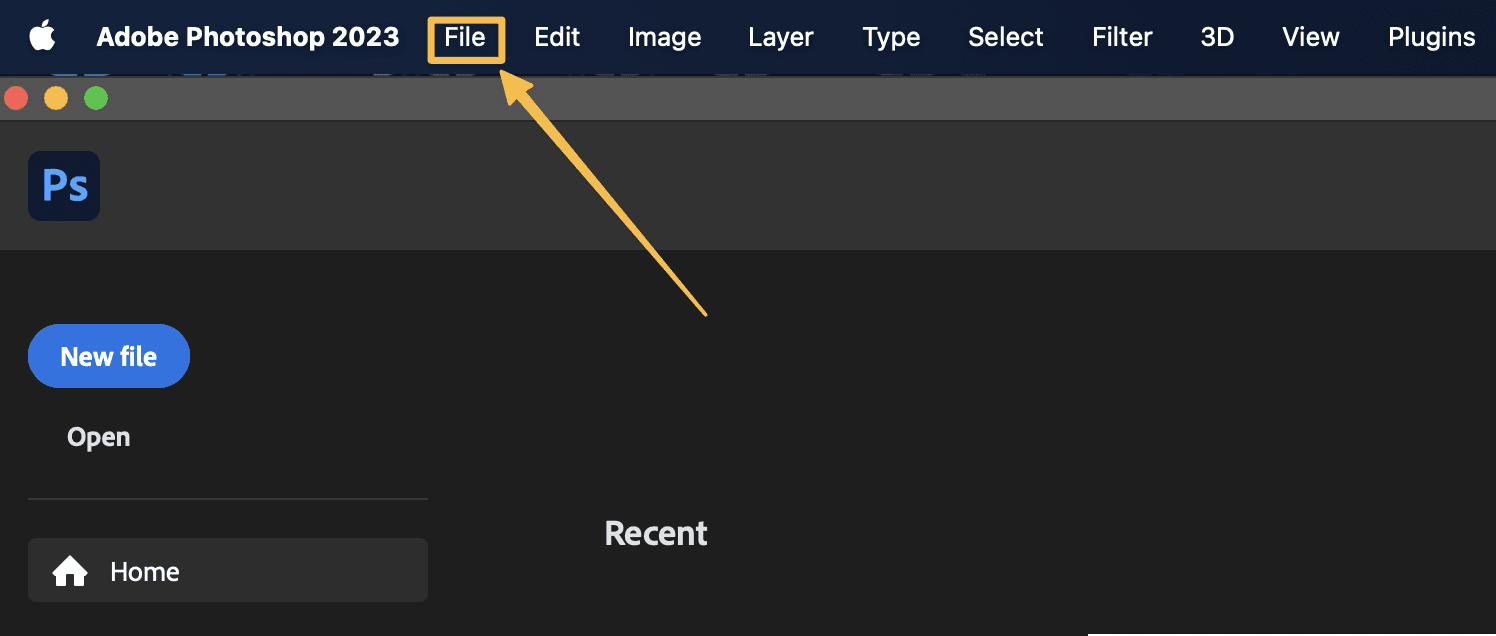
Arrow pointing to "File" in the menu of Photoshop


Access Image Processor: Under the "File" tab, scroll down and locate the "Scripts" option. Click on it to reveal a dropdown menu, then select "Image Processor."
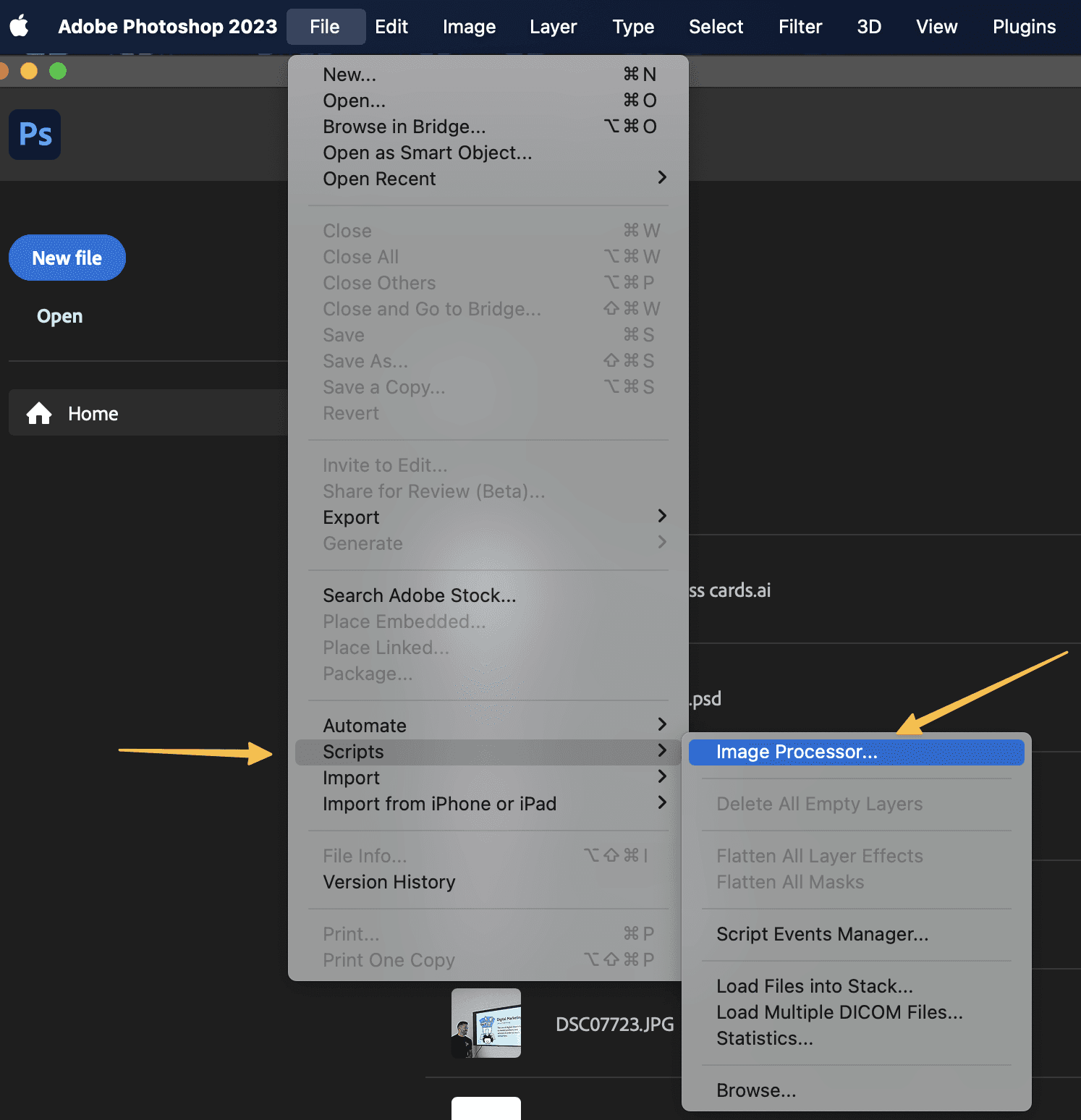

Arrows pointing to "Scripts" in the submenu and "Image Processor" of Photoshop


Select Your Image Folder: In the Image Processor window, you'll see options to choose the folder where your images are stored. Click "Select Folder" and navigate to the directory containing your images.
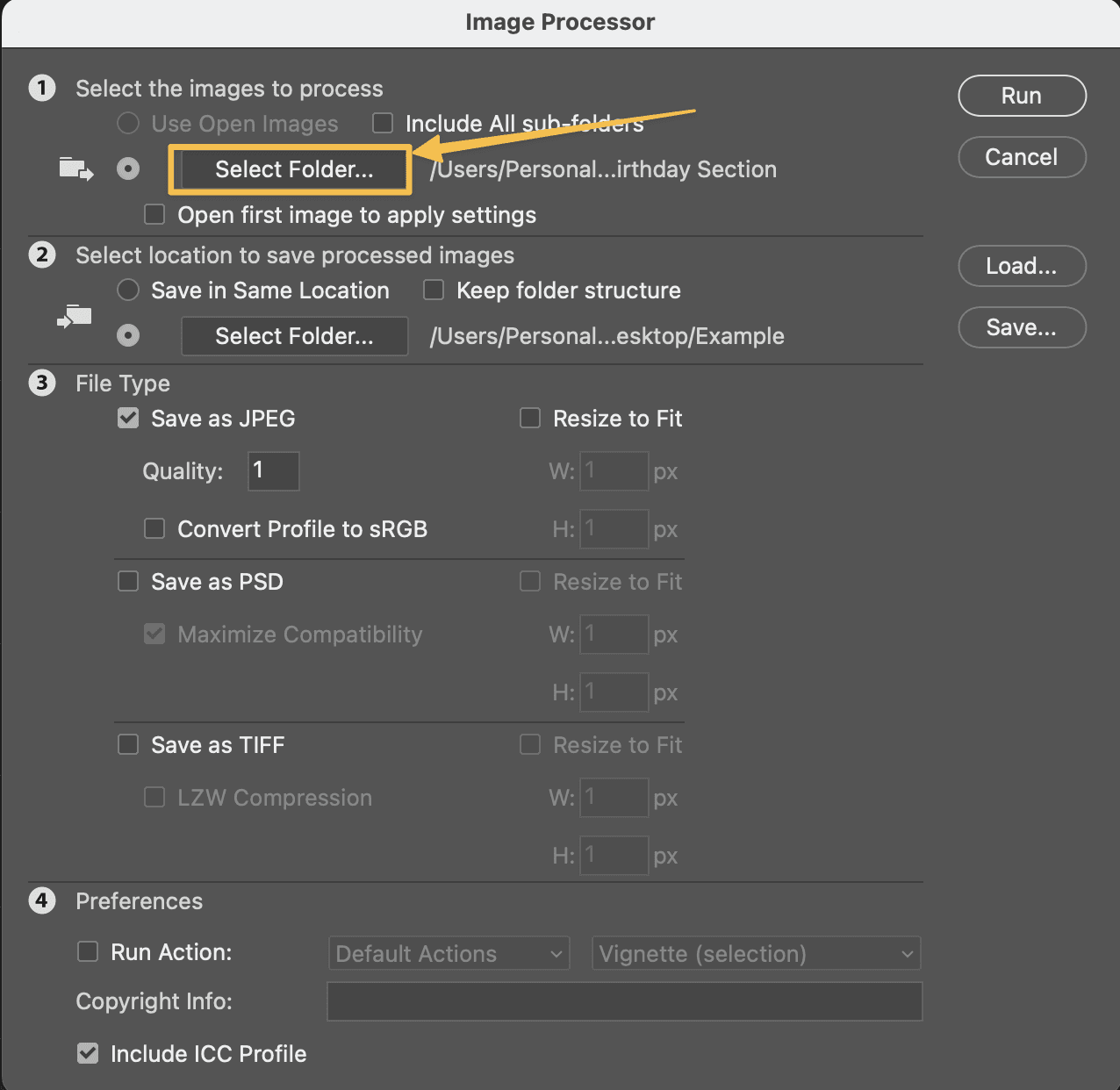

Arrow pointing to "Select Folder" from where the images should be processed

Choose Export Destination: Next, designate the folder where you want to export the processed images. This ensures your edited images are neatly organized and easily accessible.
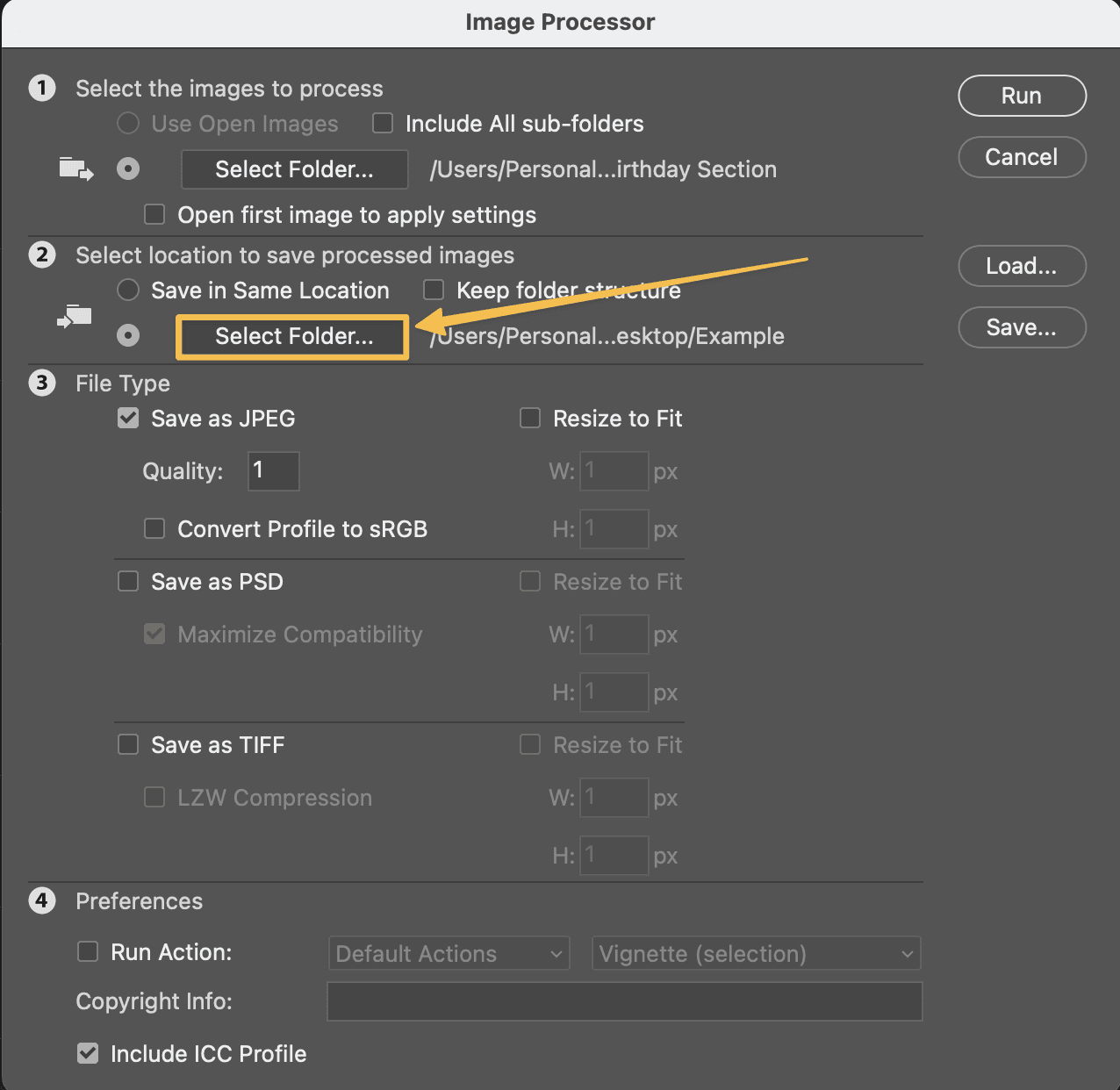

Arrow pointing to "Select Folder" to where the images should be processed

Adjust Quality Settings: Now, it's time to fine-tune the quality settings according to your preferences. You can adjust parameters such as file format, image size, and compression to achieve the desired results.
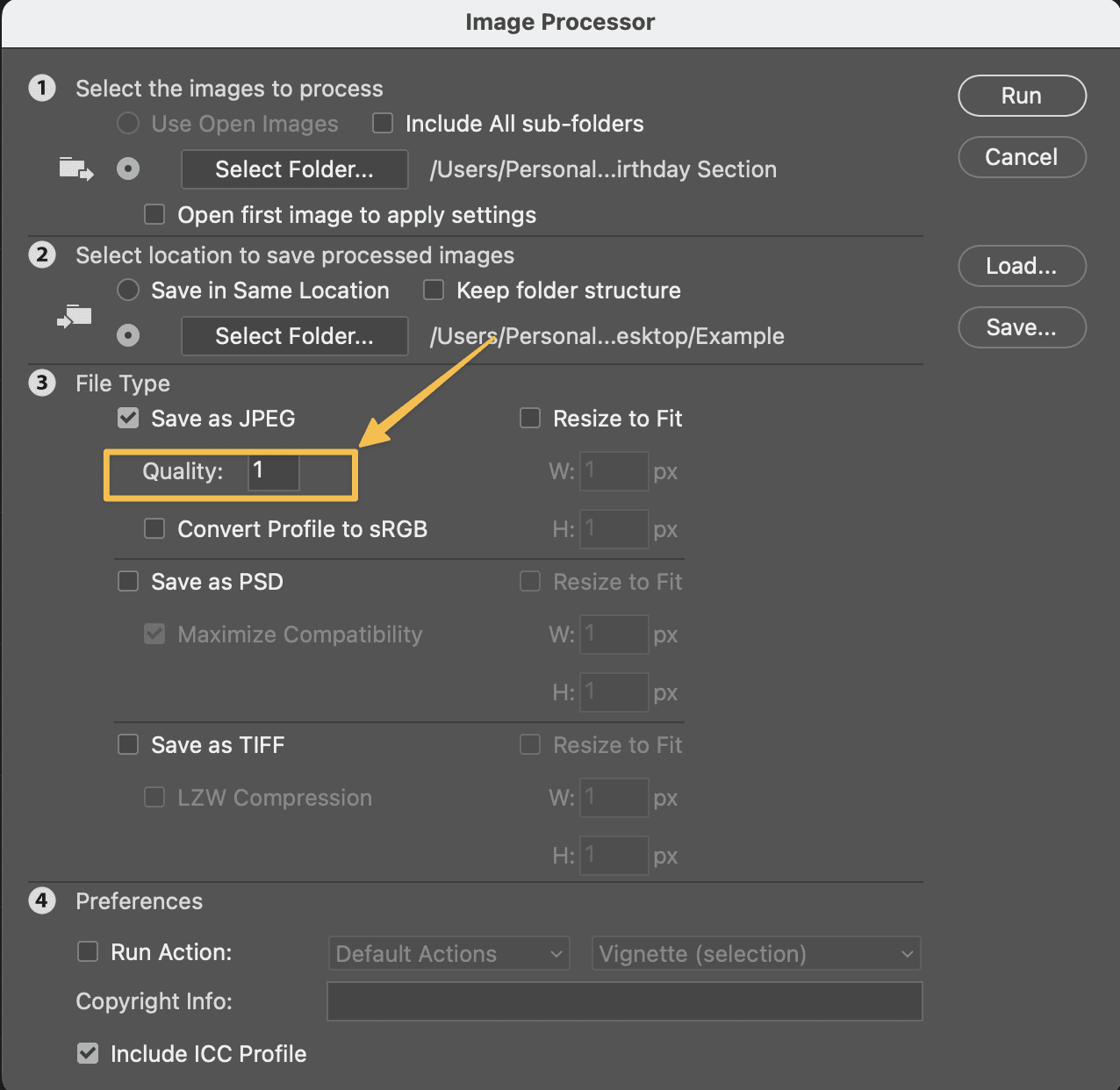

Arrow pointing to "Quality" for the image to be chosen

Hit "Run": Once you've configured the settings to your liking, simply hit the "Run" button to initiate the processing. Sit back and relax as Photoshop works its magic on your images.
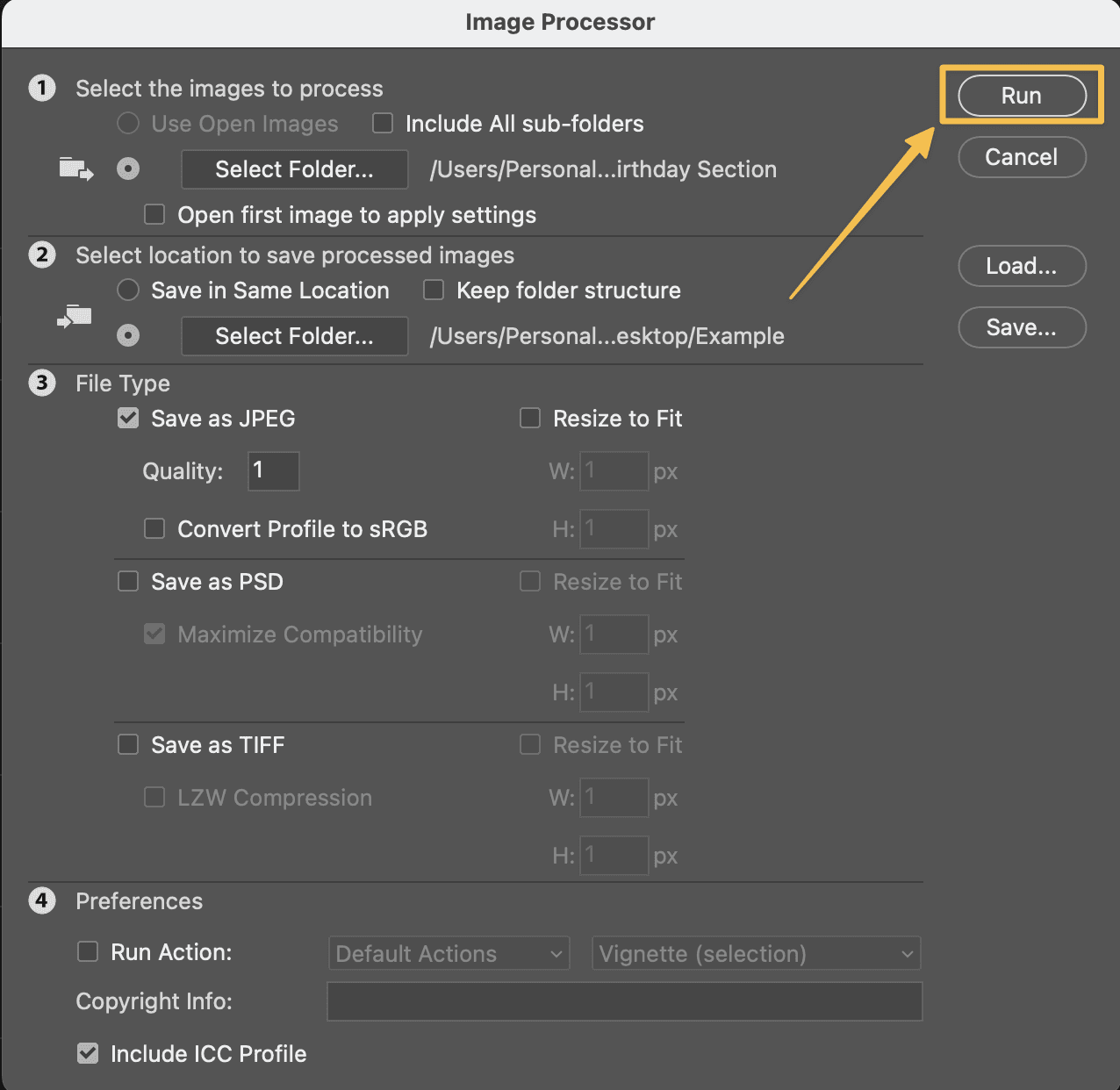

Arrow pointing to "Run" button


Enjoy the Processing: Voila! With just a few clicks, you've successfully processed your images at lightning speed.

Now, you can just sit back and watch those images roll out.

You can watch the video tutorial on the following link:



  • Let's take the first step towards unlocking your company's full potential!

  • Let's take the first step towards unlocking your company's full potential!

  • Let's take the first step towards unlocking your company's full potential!

  • Let's take the first step towards unlocking your company's full potential!

  • Let's take the first step towards unlocking your company's full potential!

  • Let's take the first step towards unlocking your company's full potential!

  • Let's take the first step towards unlocking your company's full potential!

Let's have a coffee

We will get you from A to B in no time.
Book a FREE 1:1 online consultation with us.

☎️ +1 (617) 793 - 7171
☎️ +358 (40) 179 - 0101

📍271 Massachusetts AveArlington, MA 02474, USA
📍Kynäkatu 4 A 36, 02250 Espoo, Finland
📥 contact@antibe.co

  • Let's take the first step towards unlocking your company's full potential!

  • Let's take the first step towards unlocking your company's full potential!

  • Let's take the first step towards unlocking your company's full potential!

  • Let's take the first step towards unlocking your company's full potential!

  • Let's take the first step towards unlocking your company's full potential!

  • Let's take the first step towards unlocking your company's full potential!

  • Let's take the first step towards unlocking your company's full potential!

Let's have a coffee

We will get you from A to B in no time.
Book a FREE 1:1 online consultation with us.

☎️ +1 (617) 793 - 7171
☎️ +358 (40) 179 - 0101

📍271 Massachusetts AveArlington, MA 02474, USA
📍Kynäkatu 4 A 36, 02250 Espoo, Finland
📥 contact@antibe.co